



Key takeaways
- Multi-tabling isn’t available on mobile, so a session focuses on one table at a time;
- Android access currently runs through a direct file download rather than an app store listing;
- iPhone and iPad access may run through the Mobile Browser option in the site’s Lobby menu;
- Choosing the right single table matters more here than juggling multiple games at once;
- Support for access issues runs through live chat and other official contact channels.
Set up your preferred mobile route and get seated at your first single table today.
Start Siam Poker From an Android Device
Android currently has the more direct of the two mobile installation routes. The official SiamPoker page links straight to an Android installation file instead of sending the user through a separate poker page first. Starting from that official link also reduces the need to search for installation files through third-party download sources.
APK Access and the Desktop-Style Mobile Client
The current Android link serves an APK installation file directly from the route provided by SiamPoker. The 2026 review source describes the Android interface as closely resembling the desktop client, with the same general lobby and table structure adapted to the smaller display.
Use iPhone Access When Direct Download Changes
iPhone and iPad access doesn’t always follow the same direct route as Android, and the current situation is worth checking before assuming a specific one applies.
Mobile Browser and the Lobby Route
Where a direct iOS SiamPoker download isn’t currently working, the official fallback is to open the registered site directly from an iPhone or iPad and continue through the Mobile Browser option inside the Lobby menu instead. This route still gets to the same tables and account, just through the browser rather than an installed file, so it’s worth trying if the usual download link doesn’t behave as expected.
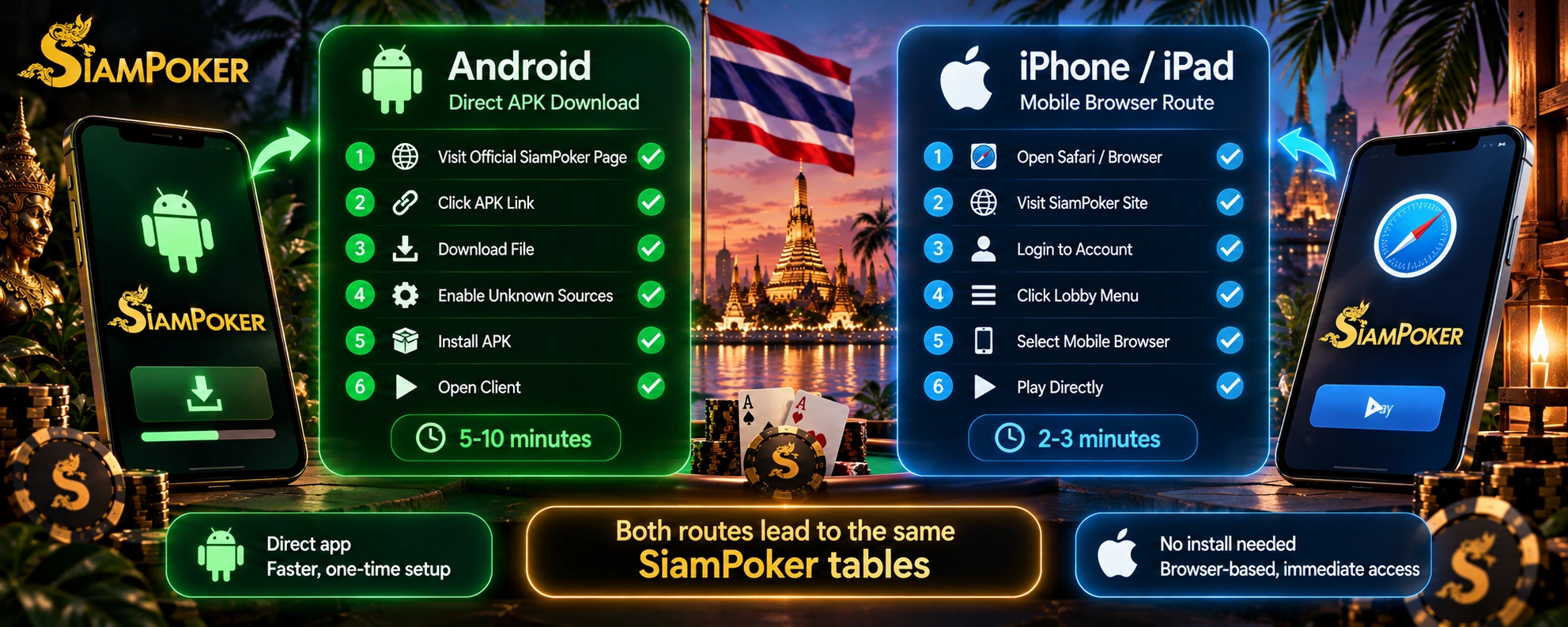
| Device | Access Route | Install Needed |
| Android | Direct APK link from the official site | Yes |
| iPhone / iPad | Mobile Browser option inside the Lobby menu | No |
Choose One Mobile Table for Thailand Sessions
Without multi-tabling in the picture, picking the right table before sitting down matters more on mobile than it might on a platform built around running several games at once. Cash tables covering No Limit Hold’em and Pot Limit Omaha span a range of stakes, giving some room to match a table to whatever bankroll or session length is in mind. Checking available traffic before committing, especially during the busiest Asian playing hours, makes it more likely that a chosen stake actually has an open seat waiting.
Keep the Siam Poker Mobile Session Focused
A typical mobile session follows a simple sequence: open the client or browser access, check what tables are currently available, settle on one that fits, and stay with it until the session wraps up. Since HUDs, trackers, and other automated tools aren’t permitted here, that focus isn’t optional so much as built into how the platform is meant to be used. The session ends up built around the interface itself and the player’s own read on the table, rather than any outside assistance running in the background.
Get Siam Poker Mobile Help in Thailand
Not every issue on mobile happens at the table itself. A SiamPoker app download that won’t start, a client that won’t open properly, or confusion about which access route currently applies are all situations better handled through support than repeated troubleshooting alone. Online chat is available directly through the site, and the platform advertises around-the-clock online service; a separate independent review also notes live chat, WhatsApp, and WeChat as channels worth trying if one method doesn’t get a quick response.